
How to Make the Paris Riot Coffee AI Video From One Photo
Paris Riot AI: how to make the Paris riot coffee AI video from one photo. Get a 10-second 9:16 video with the clip's sound. 720p is $9.90, no sign-up.
 Paris Riot AI Team12 min read
The Paris Riot AI team: we watch every clip we write about, date every number we quote, and show the trend with videos made on our own generator.

TL;DR — You make the Paris riot coffee AI video from one photo: add it to Paris Riot Coffee AI, pick 480p, 720p or 1080p, and press Create. You get a 10-second vertical 9:16 MP4 with the clip's own sound.
You're the one at the round café table, sipping espresso while pink smoke and a line of riot police fill the square behind you. One 720p video is $9.90, paid once, with no account, no app and no CapCut template.
The viral Paris café clip is 10 seconds of calm. A woman in dark sunglasses and a black coat sips espresso at a round café table. Behind her, pink smoke, small fires and a line of riot police fill the square.
You want that seat, with your own face, ready for TikTok or Reels tonight. But you can't film that square, and making a new AI scene from scratch gives you a different scene, not the café shot everyone's sharing.
We've built the café clip and its sound into the Paris Riot Coffee AI generator on our home page, so the only thing you bring is one photo.
New to the clip? Start with what the Paris riot coffee meme is, then come back here.
We made the video below from one picture of an AI-made woman:
Here's what you'll get in this guide: what you need, the two steps and what your video looks like. We'll also cover the photos that work, the caption and what one video costs.
What you need to make a Paris riot coffee AI video
To make a Paris riot coffee AI video, you need one photo and a web browser, and nothing else.
- One photo: You upload a photo of one person or one character. There's no prompt box and no outfit switch.
- A web browser: You open the generator on a phone, tablet or computer, and there's nothing to install.
- One payment: You pay $9.90 once for one 720p video, and you don't need an account or a subscription.
- Nothing to edit: You get the finished MP4 with the original sound, so you don't need an editing app.
There's no photo to make in one app, no clip to animate in a second app and no sound to add in CapCut. That's because the café clip, every sip and its sound are already in the generator.
You don't film anything either.
The café clip is one 10-second shot from a camera that holds still, and your video keeps that steady camera angle. Every video already comes in vertical 9:16, so there's nothing to crop or reframe for TikTok or Instagram Reels.
The audio is already mixed into the file from the start. You don't have to search for the track or line up beats.
Step 1: Add one photo to the Paris Riot Coffee AI generator
The Paris Riot Coffee AI generator sits below the headline at the top of the Paris Riot AI home page.
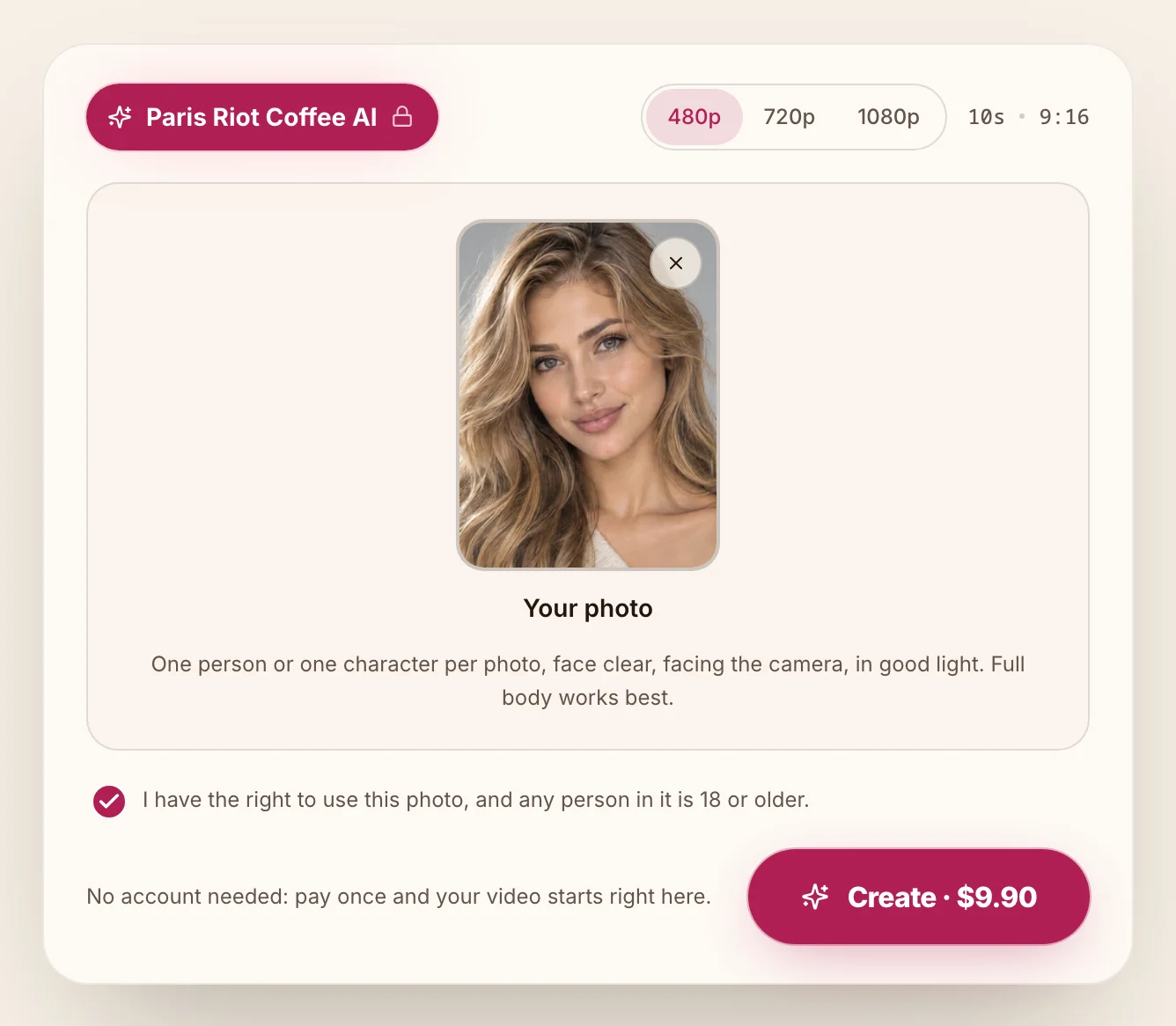
On the top left, you'll see a pink "Paris Riot Coffee AI" chip with a small lock. On the top right of the generator, the quality switch shows "480p", "720p" and "1080p", beside the "10s · 9:16" label.
Tap "Upload photo" in the "Your photo" box and pick your picture. Under the box label, the site tells you: "One person or one character per photo, face clear, facing the camera, in good light. Full body works best."
A cartoon or game character works in the "Your photo" box too. If you pick a file the generator can't take, you'll see this line: "Use a JPG, PNG or WebP photo up to 30 MB."
You'll find the consent box already ticked when the page opens: "I have the right to use this photo, and any person in it is 18 or older."
The box is already ticked when the page opens.
Step 2: Pick your Paris riot coffee AI video quality and press Create
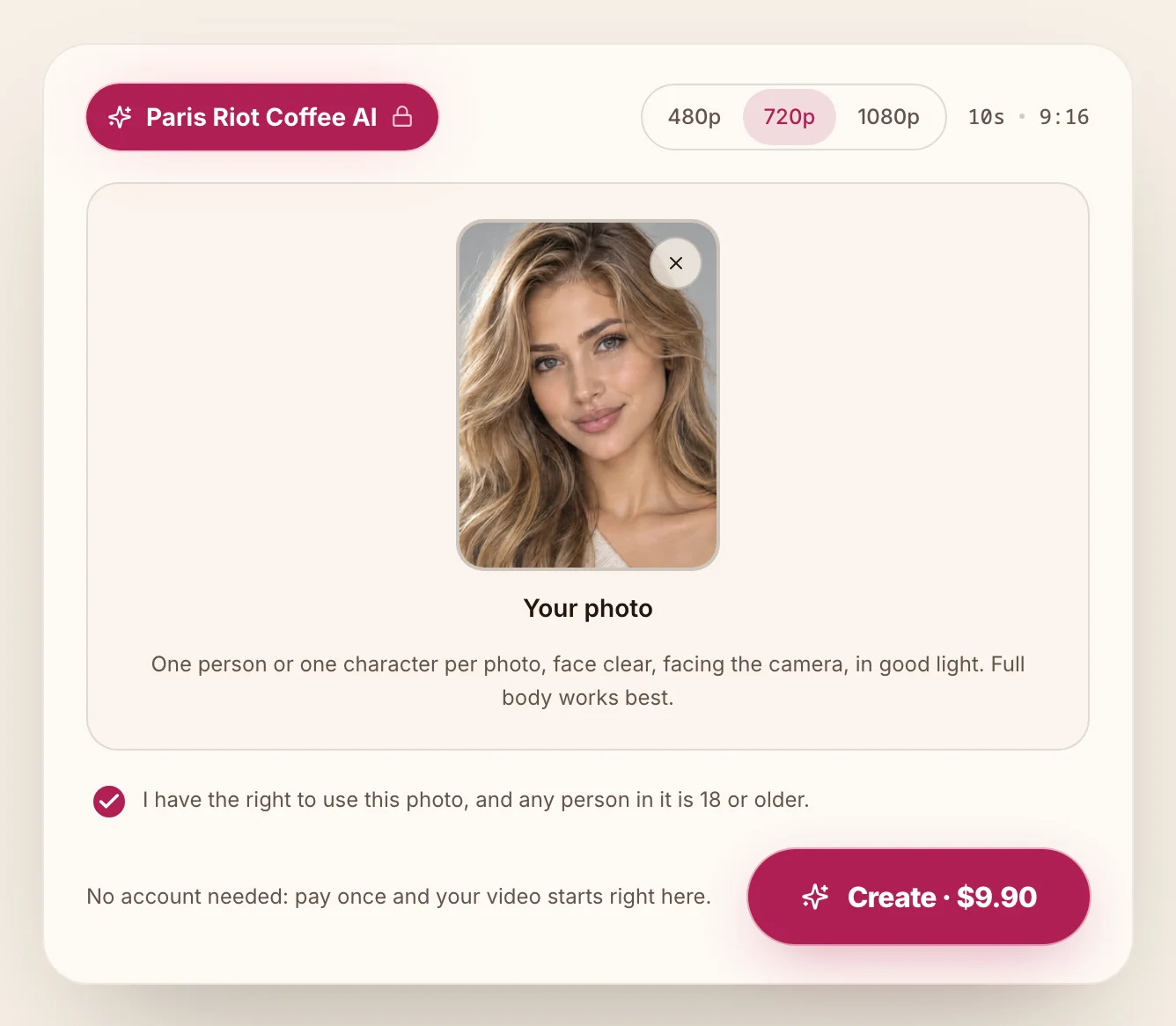
The quality switch sits at the top right of the Paris Riot Coffee AI generator, and the page opens with 480p picked. You've got three to pick from:
- 480p: One 480p video costs 375 credits, leaving 125 credits in your balance from a 500-credit pack.
- 720p: One 720p video costs 500 credits, which is exactly the amount you get in the $9.90 pack.
- 1080p: One 1080p video costs 1,480 credits, which uses about $24.60 of the $39.90 pack of 2,400 credits.
Credits are what a video costs you on Paris Riot AI, and the $9.90 pack gives you 500 of them.
When you're signed out, the main button reads "Create · $9.90" with 480p picked and with 720p picked.
Then press Create and pay once, with no account and no subscription, just as the line beside the button says: "No account needed: pay once and your video starts right here."
What your Paris riot coffee AI video looks like
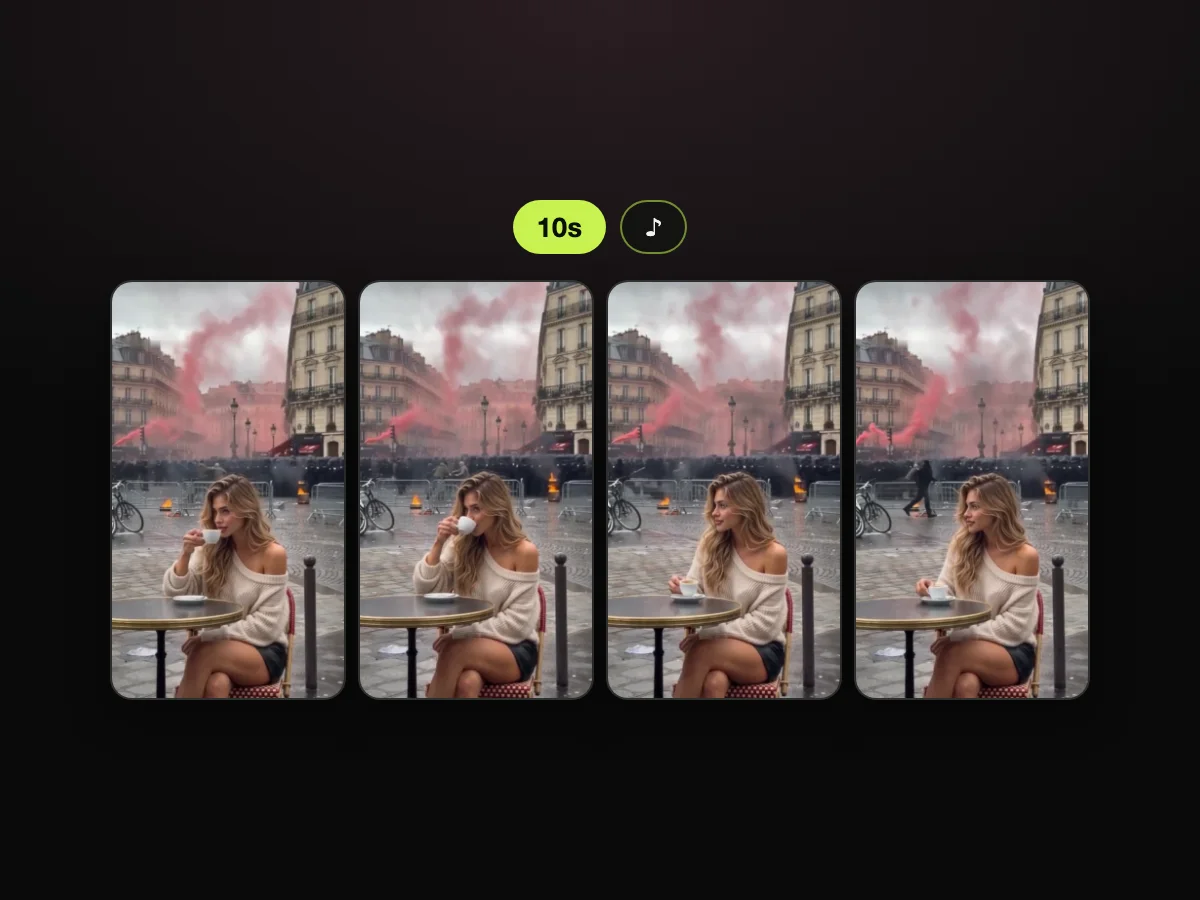
Your Paris riot coffee AI video is one 10-second MP4 in vertical 9:16, with the café clip's own sound from the first second. Our home page names four moments under its sample:
- Lift: At about 0.5 seconds, you hold the small white espresso cup up near your chin.
- Sip: At about 3 seconds, you take a slow sip.
- Set down: At about 6 seconds, the cup goes back down toward its saucer.
- Unbothered: At about 9 seconds, the cup rests on the saucer and you look off to the side, while pink smoke keeps rolling over the square behind you.
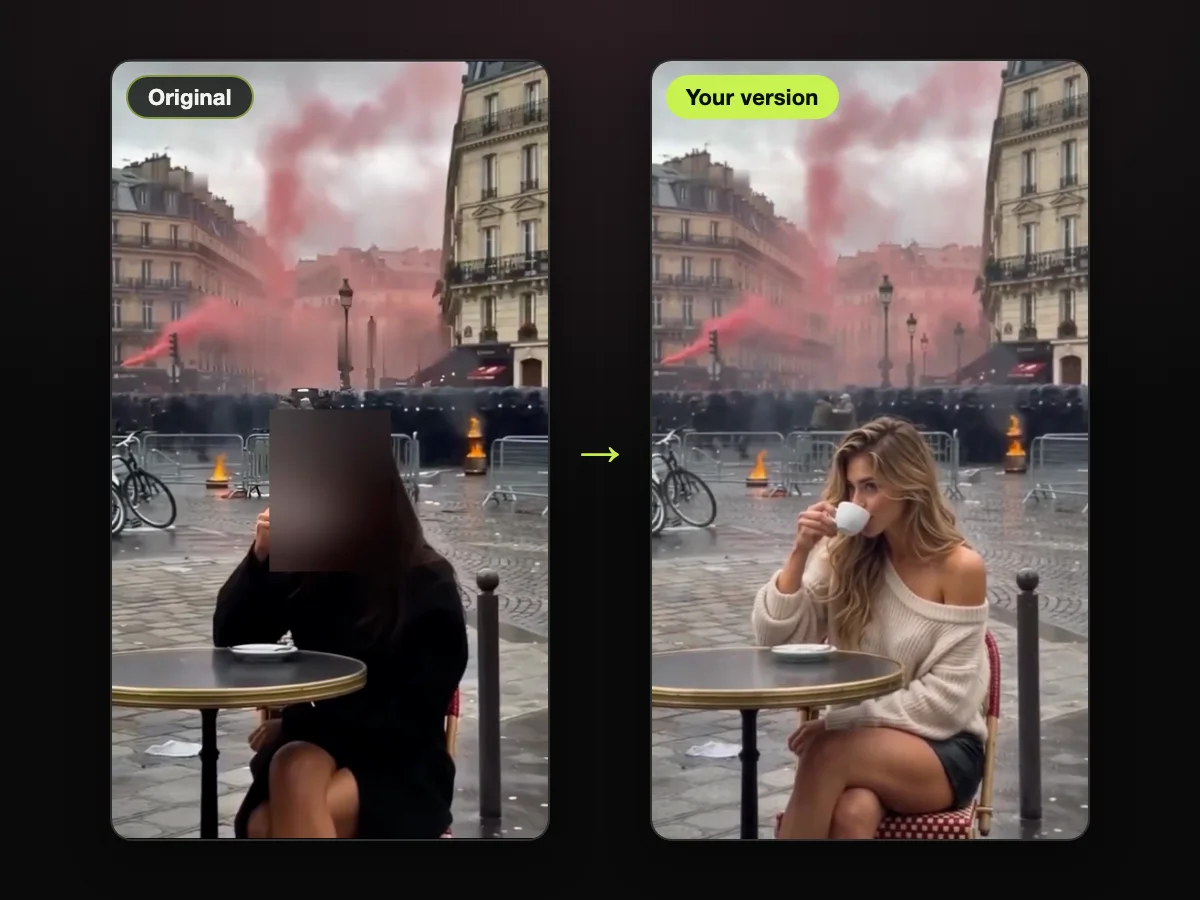
Only the person at the table changes.
Your face, hair, body and whole outfit come from your photo, and you don't get her black coat, dark sunglasses or long dark hair unless your photo has them.
Everything else stays as it is in the café clip:
- the table, the chair, the cup and the saucer
- every movement, every sip and the timing
- the square, the barriers, the bicycles and the buildings
- the fires, the pink smoke, the line of riot police, the camera and the light
When your video is ready, the "Download" button saves the MP4, and there's no watermark on it.
The site puts you directly into the scene while keeping the background intact.
We made this second sample from one picture of an AI-made man in a white T-shirt:
Pick a photo that works for the Paris riot coffee AI
The Paris Riot Coffee AI generator takes the person from your photo, so your photo decides who's sitting at the café table. Here's what your photo needs:
- One person or one character: Use one person or one character per photo.
- Face: Keep the face clear and facing the camera.
- Light: Use a photo that's taken in good light.
- Full body: Remember that full body works best.
- File: Pick a JPG, PNG or WebP photo up to 30 MB.
- Age and rights: Make sure you have the right to use the photo, and that any person in it is 18 or older.
What you wear in the photo is what you wear at the table. If you're wearing a T-shirt or a jacket in your photo, that's what you'll wear in your video.
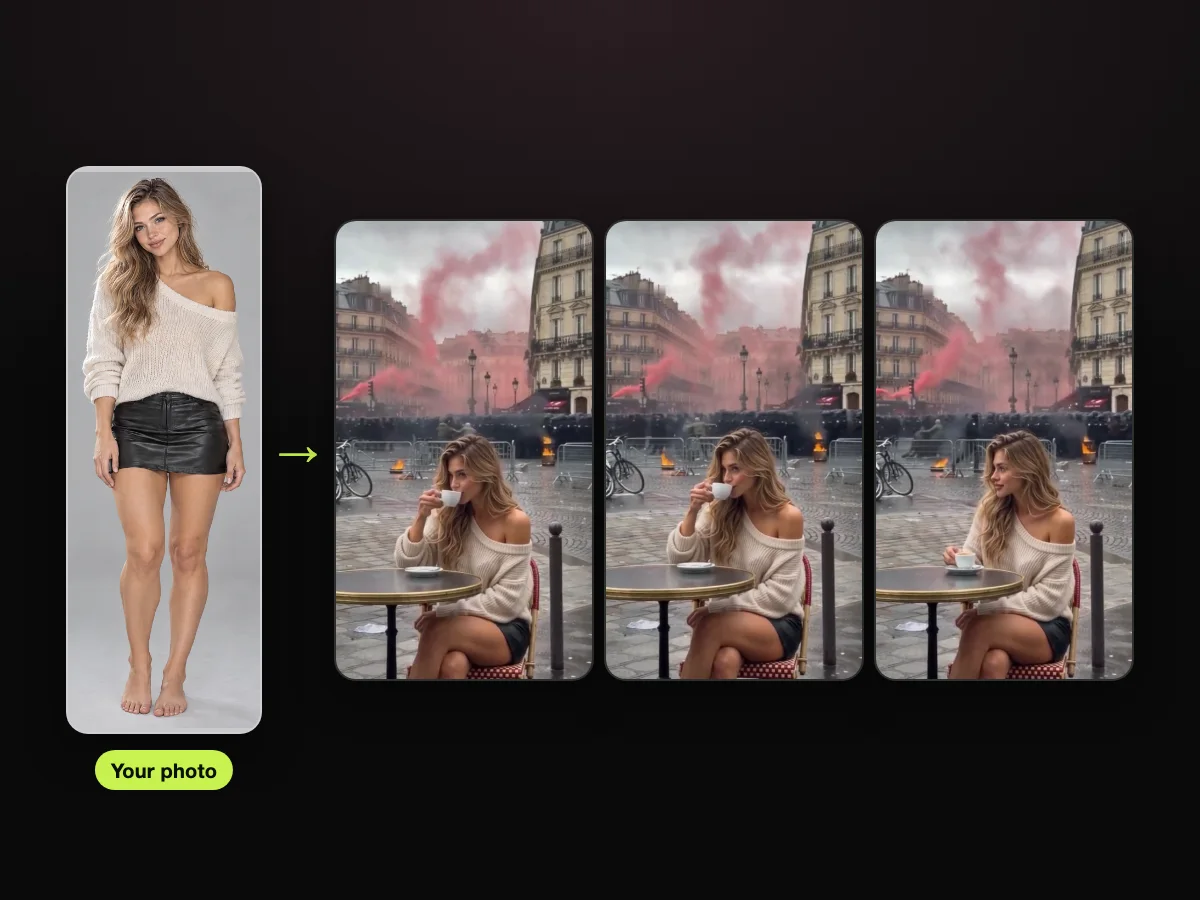
Got your photo? Add it to the Paris riot coffee AI video maker and take the seat.
Post your Paris riot coffee video with the one-week visa caption
Your Paris riot coffee AI video comes with no text on screen, so you add your caption yourself when you post it on TikTok or Instagram Reels.
The video file stays clean so you can place text wherever you like inside your social apps.
The line people use is the café clip's own joke, "when they only gave you a Schengen visa for a week", from its Russian caption; or write your own.
Here's the visa for one week meme explained, if you want the joke behind the line.
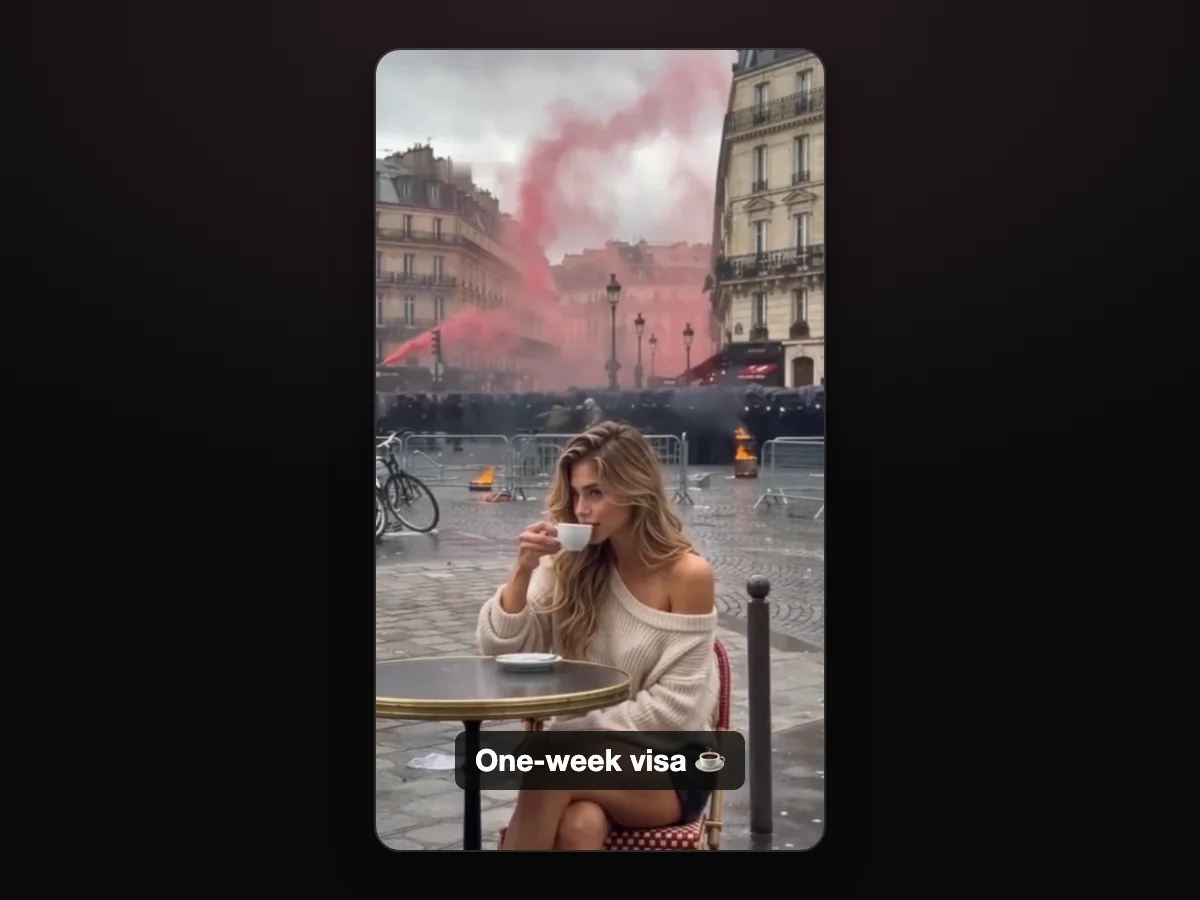
The joke is you staying unbothered while everything goes wild behind you. It's the same joke as the this is fine memes from Paris.
You can add the text overlay directly in TikTok or Instagram Reels before publishing. That lets the caption match your favorite font, size and placement.
What one Paris riot coffee AI video costs
One Paris riot coffee AI video costs $9.90 at 720p on Paris Riot AI, paid once, with no account and no subscription. You buy credits in packs, and you'll spend them when you create a video:
- 480p: Costs 375 credits, which leaves 125 credits in your balance when bought through the $9.90 pack.
- 720p: Costs 500 credits, and the $9.90 pack covers it completely.
- 1080p: Costs 1,480 credits, which uses about $24.60 of the $39.90 pack of 2,400 credits.
If a video fails, its credits go back to your balance automatically. Packs are one-time payments, nothing renews, and pack credits stay valid for 365 days.
You don't need to commit to a monthly fee to make one video. The Paris Riot AI pricing page lists every pack.
Paris riot coffee AI video FAQ
You'll find answers to common questions about making a Paris riot coffee AI video below.
Do I need CapCut or a template for the Paris riot coffee AI video?
No. The café clip and its sound are built into the generator, so there's no template link to find, no prompt and no editing app. Our Paris riot coffee CapCut template guide compares the ways to make it.
What song is in the Paris riot coffee video?
The café clip's sound is the song «Франсе» by Voskresenskii, and it's in your video from the first second. We wrote up the Paris riot coffee song on its own page.
Can I put a friend or a cartoon character at the table?
Yes. You can use one photo of you, a friend who's 18 or older and agrees, or a cartoon or game character. Remember that each photo must include only one person or one character.
Will the Paris riot coffee AI video look like me?
Yes. Your face, hair, body and whole outfit come from your photo, so the person sipping espresso at the table is you.
Do I need an account to make one?
No. You press Create and pay once with no account. To keep your videos on another device later, open the link in the email from checkout and sign in.
When did the Paris riot coffee video come out?
The café clip spread online on October 18, 2026, the weekend of the protests of October 17–18, 2026 in Paris. Our Paris riots 2026 explainer covers that weekend.
Can I make the Paris riot jogger video too?
Yes. Paris Riot Jogger AI puts you in the jogger's place in the Paris street clip from the same weekend, from one photo.
Our page on the Paris riot jogger clip explains what it shows, and the step-by-step guide to the Paris riot jogger AI video walks you through making one.
Make your Paris riot coffee AI video tonight
Uploading a single photo to Paris Riot AI gives you a 10-second vertical 9:16 video of you at the round café table, sipping espresso with the clip's audio. Pay $9.90 once with no sign-up to make your Paris riot coffee AI video right in your browser.
Written by the Paris Riot AI Team. Both videos in this guide were made from one picture each of an AI-made adult, with the same café clip, edit and sound our Paris Riot Coffee AI generator uses. We read every price and button label on October 20, 2026.
Related articles
- What Is the Paris Riot Coffee Meme? The Calm Café Clip, Explained — what the café clip shows, when it spread and why everyone remakes it.
- Visa for One Week Meme: What the Russian Caption Means and Why It's Funny — the Schengen joke behind the café clip's caption, in plain words.
- Paris Riot Coffee CapCut Template: 2 Ways to Make the Café Clip — templates, apps and one photo, side by side.
- What Is the Paris Riot Coffee Song? «Франсе» by Voskresenskii — the name of the song you hear in every version.
- What Is the Paris Riot Jogger? The Run She Didn't Skip — the other clip from the same weekend.
- How to Make the Paris Riot Jogger AI Video From One Photo — take the jogger's place from one photo, step by step.
- This Is Fine Meme Paris: 6 Moments, From KC Green's Dog to the Café Clip — from the cartoon dog to the café table.
- Paris Riots 2026: What Happened, Day by Day and in Numbers — the weekend the café clip came from, in plain facts.


